
A version of CI/CD is constantly written about. It includes automated testing across multiple environments, canary deployments, feature flags, rollback pipelines, and infrastructure as code, which wires it all together. It’s impressive engineering.
However, it’s not what a three-person software team needs on a Tuesday morning when trying to ship a fix.
The good news is that a simple, reliable pipeline isn’t a compromise. For most small teams, it’s better than a complex pipeline because they use it, understand it, and maintain it. This is what that looks like.
What a CI/CD pipeline is actually supposed to do
Before discussing tools, it helps to clarify the goal.
A CI/CD pipeline answers one question every time someone pushes code: Is this safe to ship? It identifies issues before they reach production, eliminates manual steps that introduce human error, and transforms deployment from a stressful process into a routine one.
That’s it. Everything else either serves that goal or is overhead.
For a small team, the pipeline doesn’t need to be sophisticated. It just needs to be fast enough that no one bypasses it, reliable enough that a failure actually means something is wrong, and simple enough that the person who set it up can explain it to a new hire in twenty minutes.
The four things every small team pipeline needs
A trigger. The pipeline should run automatically with every push to the main branch and, optionally, with pull requests before merging. Pipelines that someone has to remember to kick off are pipelines that get skipped.
A build step: This step compiles the code, installs dependencies, and produces the artifact that will be deployed. If this step fails, nothing else runs. This step is also where you catch obvious errors early, before they reach an environment where they’re harder to debug.
At least run a basic test. It doesn’t have to be comprehensive. A set of tests covering the critical paths – the things that would cause real problems if they broke – is enough to start. The goal is confidence, not coverage metrics. A pipeline that runs twenty tests and passes them is more useful than one that skips testing because the suite isn’t complete yet.
A deploy step: Next, add a deploy step. The pipeline should be able to push the built artifact to the target environment without manual intervention. For most small teams, this means pulling the latest image on a server, restarting a service, or triggering a platform deployment. The simpler this step is, the fewer things can go wrong.
That’s the core. Everything else is an addition made when there is a specific reason for it.
The tool question
In 2026, GitHub Actions will be the right default for most small teams. It’s tightly integrated with where code commonly lives, its free tier covers reasonable usage, and its configuration is a YAML file in the repository with the code. There’s no need to manage a separate service or share a separate login with a new team member.
If your code is on GitLab, GitLab CI is equally capable and operates under the same principle: the pipeline configuration resides with the code.
For teams that need more customization or want to run their own infrastructure, Woodpecker CI and Forgejo Actions are lightweight, self-hosted options worth knowing about. They’re not the default recommendation, but they’re solid options when the situation calls for them.
What you probably don’t need at a small scale: Jenkins. It’s powerful, and it’s prevalent in larger organizations. However, for a small team, it introduces more operational overhead than it solves. The configuration is more complex, and it runs as a separate service that you have to maintain. The benefit over GitHub Actions at a small scale is minimal.
What a basic pipeline actually looks like
For a small web application, a working pipeline can be as simple as this:
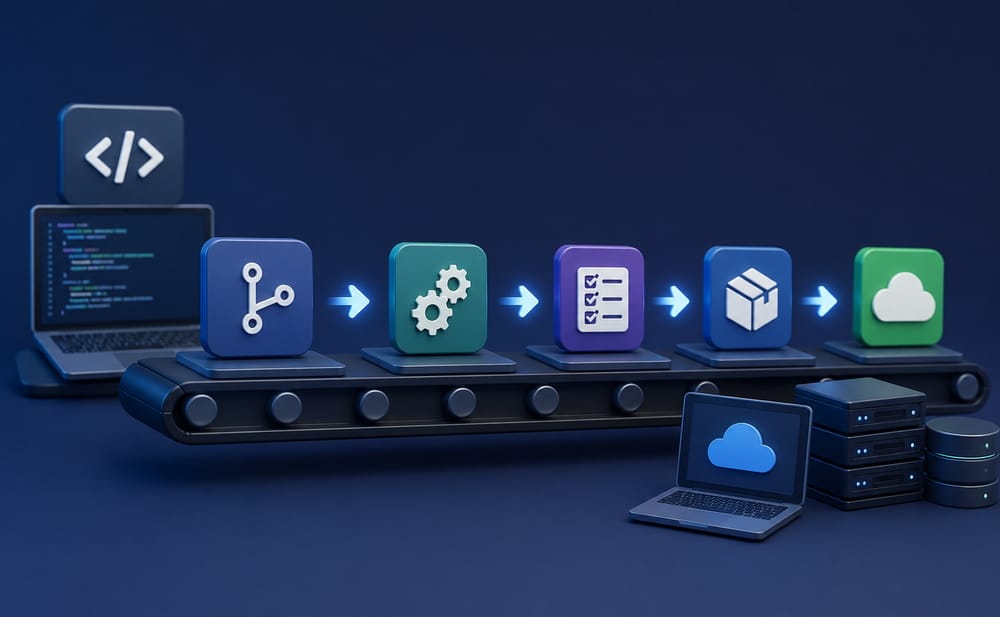
Every time you push to main, run the build and the tests. If both pass, SSH into the server and pull the latest Docker image. The entire process takes two to five minutes. A failure sends a notification. A pass deploys automatically.
This pipeline eliminates many problems, such as deploying without running the tests, pushing the wrong branch, and the “build works on my machine” mystery. It also means that anyone on the team can deploy because deployment is a Git push, not a set of steps in someone’s head.
From there, additions should be driven by actual pain points. For example, if you’re shipping multiple times a day and want to catch regressions faster, add more tests. If you want to review changes before they reach production, add a staging deployment step that runs on pull requests. If you’re building something where downtime incurs real costs, look into zero-downtime deployment strategies.
However, none of these additions are necessary on day one. Day one is ensuring that the pipeline runs, catches obvious failures, and deploys without manual steps.
The thing that kills small team pipelines
The most common failure mode is not technical. Rather, it’s a pipeline that takes too long to run.
A fifteen-minute pipeline creates pressure to bypass it. Someone has a small fix: a typo or a one-line change. The pipeline seems excessive. They push directly. Then, the habit forms.
Keep the pipeline fast. If the test suite takes more than five or six minutes, look at what’s actually slow before adding more tests. A focused suite of fast tests that runs in two minutes will be used more consistently than a comprehensive suite that takes twelve minutes.
Speed is a pipeline feature, not a luxury.
A starting point, not a finish line
For a small team, a working pipeline is not a one-time project that gets built and then forgotten. Rather, it evolves as the product and the team evolve. Initially, the important thing is that it’s running, trusted, and being used.
The teams that benefit the most from CI/CD aren’t the ones with the most sophisticated pipelines. They’re the ones where running the pipeline is simply how you ship code – it’s not something anyone thinks about.